School management and learning platformLive

KeyHub

Schools run enrolment, QR drop-off and pick-up, calendars and announcements, train their teachers with courses, and collect fees. Parents follow their children’s progress, message the school and book meetings.

Client
KeyHub, for schools
Used by
School administrators, teachers and parents
Runs on
Web platform and mobile app
What we did
Design, build and launch
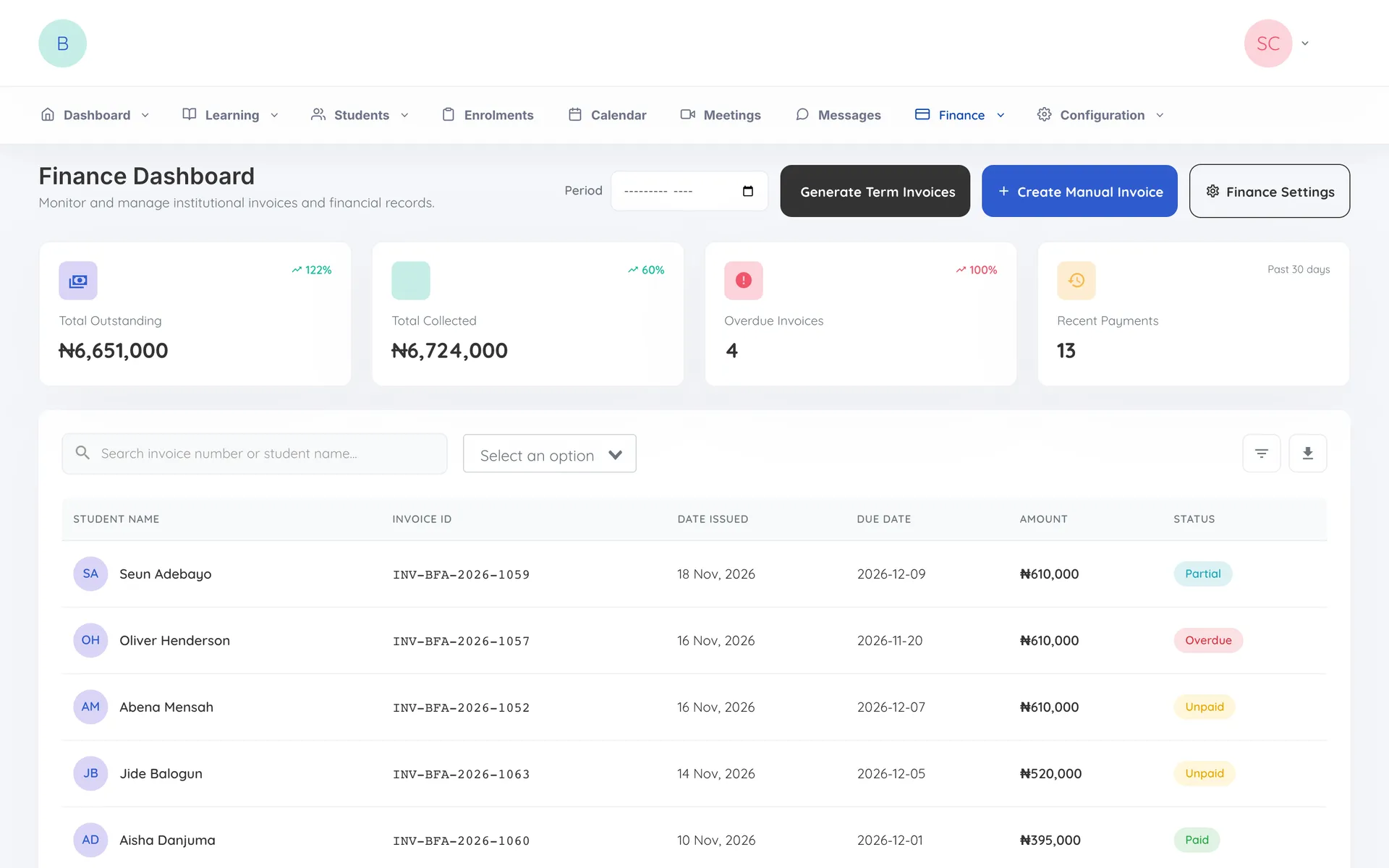
The KeyHub finance dashboard for a sample school, showing fees outstanding and collected, with each student’s invoice and payment status

The challenge

Schools juggle enrolment forms, fee collection, parent messages and the daily question of who collected which child, often across paper, spreadsheets and chat groups.

Parents end up chasing information, and the school has no single record of what happened. KeyHub set out to give schools one place to run all of this, with an app that keeps parents informed and a training space for teachers.

How a school runs on it

From the first enrolment to the last fee paid, the school and its families work in one place.

  1. Set up

    A school registers and sets up its academic years, terms, classes and fees.

  2. Enrol

    Parents apply through an enrolment link, and approval creates the parent’s account and the child’s record.

  3. Drop off and pick up

    Parents scan a QR code at the gate, so every drop-off and pick-up is recorded.

  4. Stay in touch

    Announcements, the calendar, the news feed and meeting bookings keep families up to date.

  5. Pay fees

    Term invoices go out, parents pay in the app, and the money settles to the school’s own account.

What we built

A web portal for the school and a mobile app for parents and teachers.

For the school

Run the whole school from one portal

  1. Academic years, terms, classes and fees for each class
  2. Enrolment applications, links and bulk student upload
  3. Attendance reports from QR drop-off and pick-up
  4. Calendar, announcements and meeting slots
  5. Invoices, receipts and payouts to the school’s account
  6. Training courses, quizzes and certificates for teachers

For parents

Follow your child’s school life from your phone

  1. A profile for each child with projects, reports and notes
  2. QR drop-off and pick-up
  3. Invoices and fee payment in the app
  4. The school calendar and meeting booking
  5. A news feed, messages and support requests
  6. Other guardians added for pick-up

Decisions that shaped it

  1. Attendance is a QR scan at the gate

    Parents scan a code at drop-off and pick-up, so the school has a record of every hand-over instead of a register filled in later.

  2. Fees settle straight to each school

    Each school is paid into its own account, so it receives its fees directly instead of waiting for them to be passed on.

  3. Parents start conversations with the school office

    Teachers can open a conversation with a parent, but parents write to the school first, which protects teachers’ time and keeps the school informed.

The outcome

KeyHub is live. Schools run enrolment, attendance, fees and communication from one portal, parents follow their children from the app, and teachers keep learning through their own courses.

Tell us what you are planning and how many people will use it.

Start an enquiry